
Step 1:
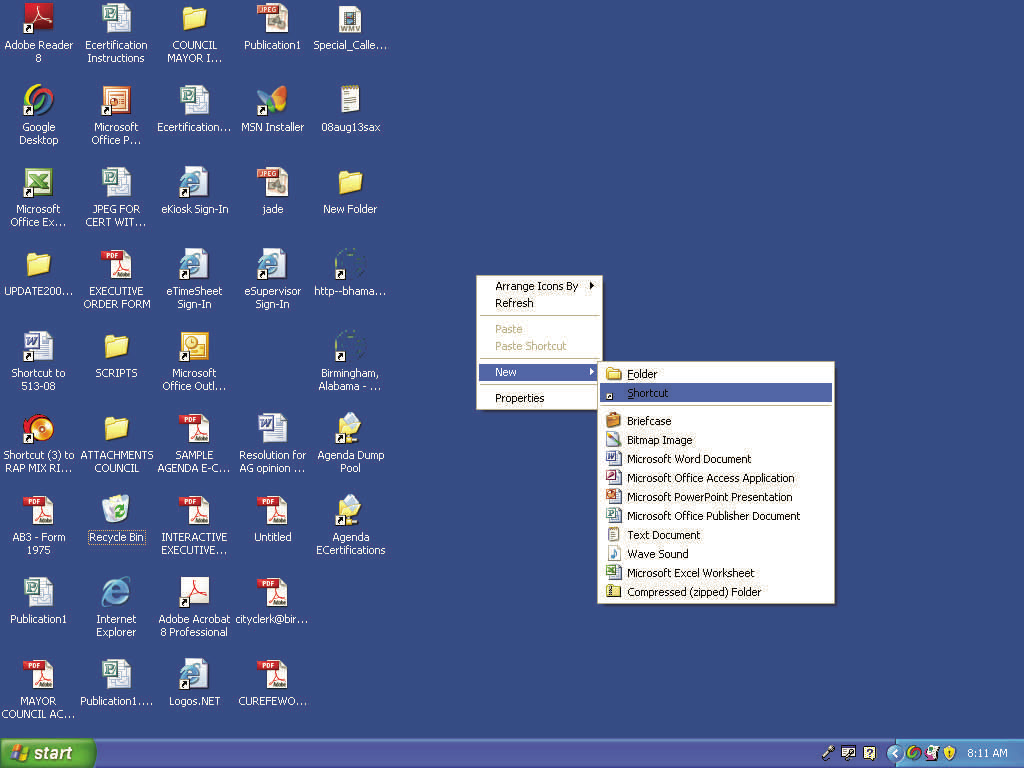
From your desktop view Right Click on your mouse and a box should appear. Select New in the Box and another box should open select Shortcut in the box.
Step 2:
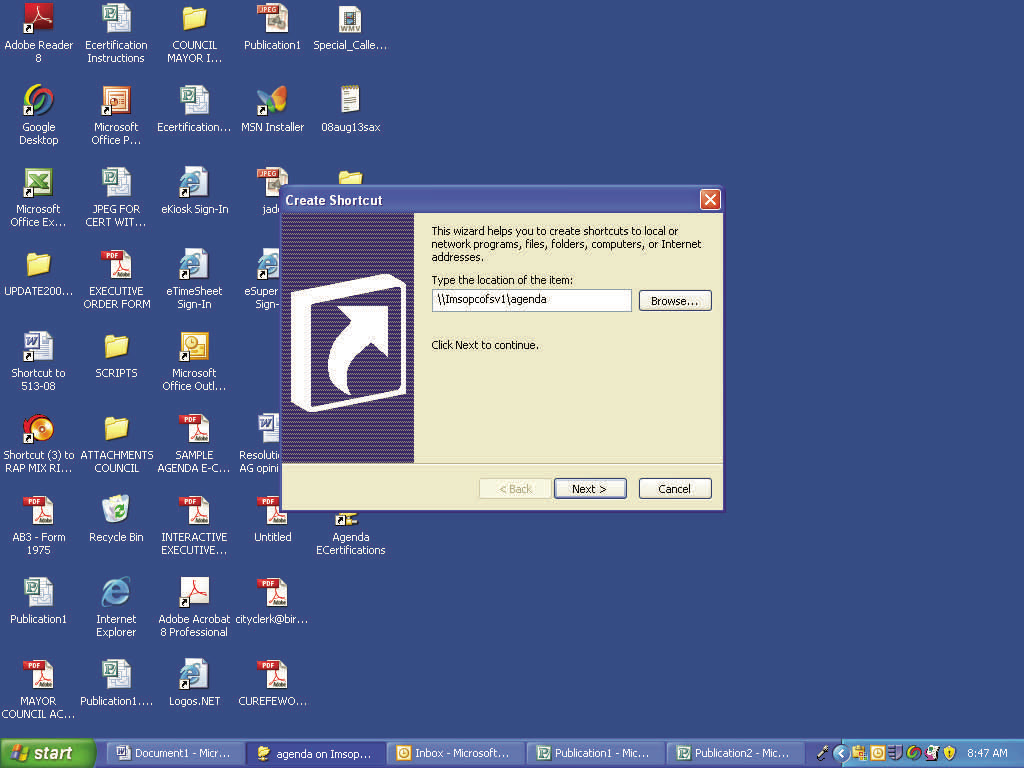
Another box should appear, in that box type the following link as you see it: \\Imsopcofsv1\agenda
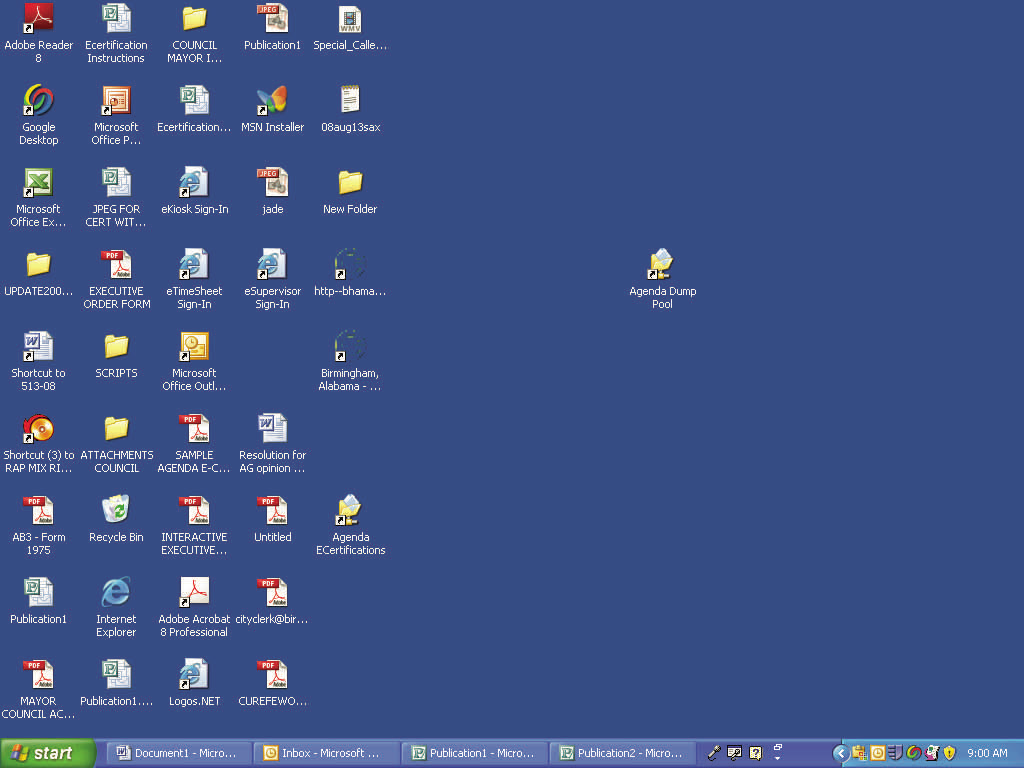
Next click on the Next button at the bottom and after which the new icon should appear on your desktop.
Step 3:
Double Click on the New icon that appears on your desktop.
Step 4:
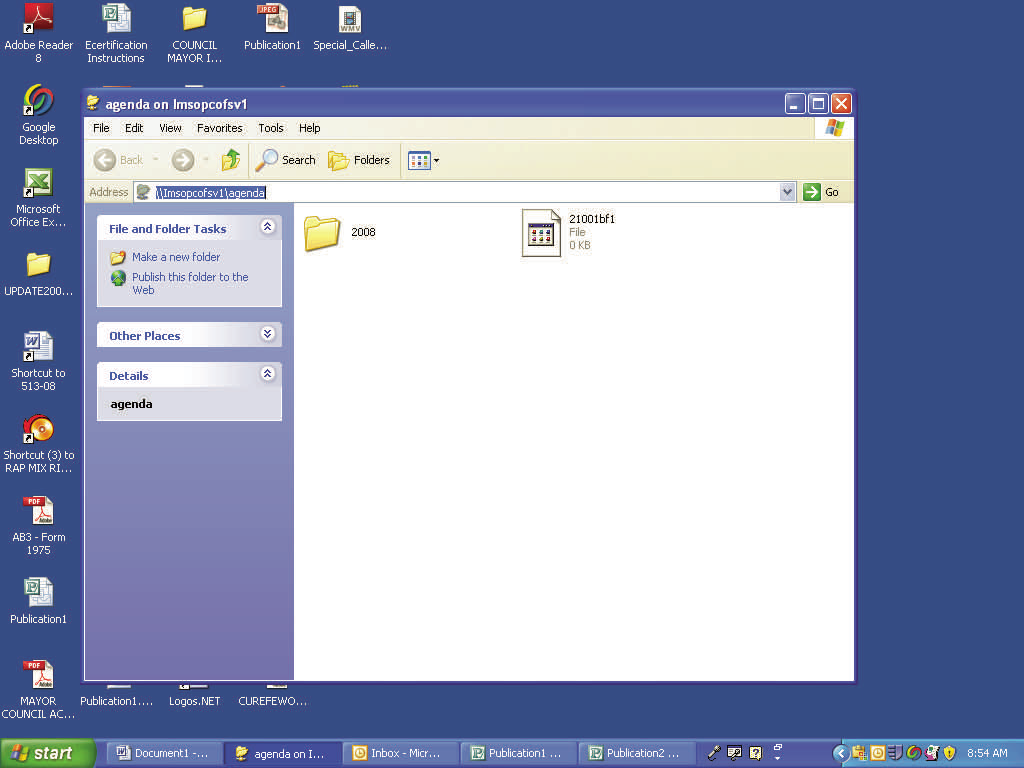
Double click on the year folder that corresponds to the agenda you wish to submit items for.
Step 5:
You will see multiple folders; select the folder that corresponds to the agenda date you which to submit items for.
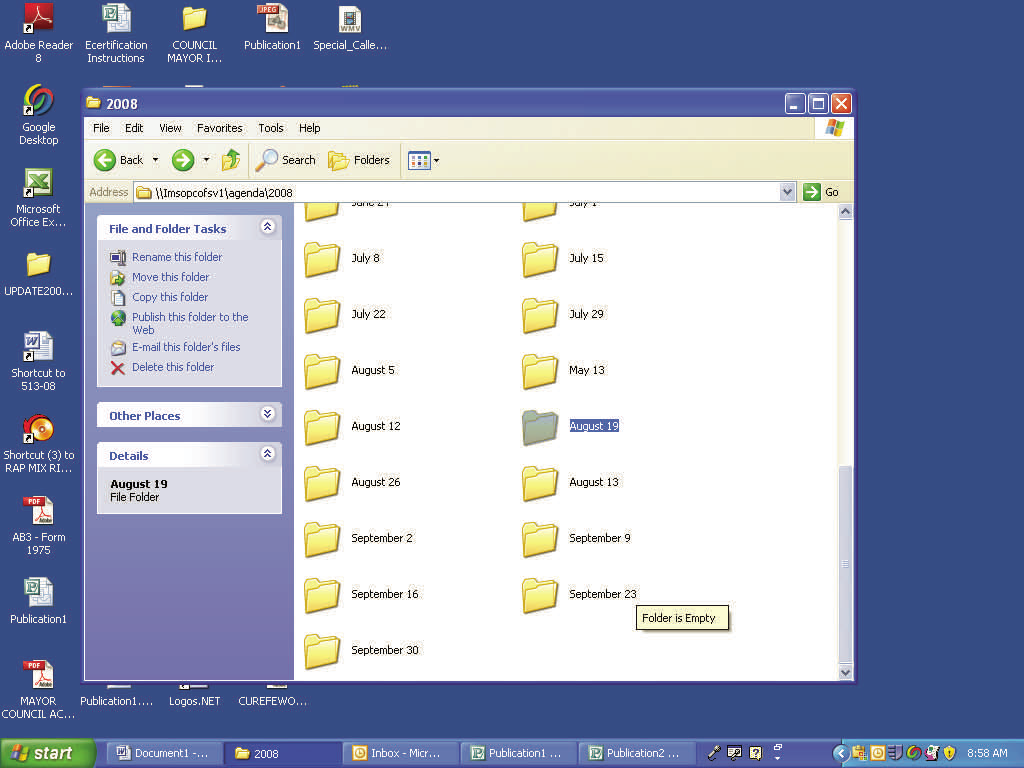
Step 6:
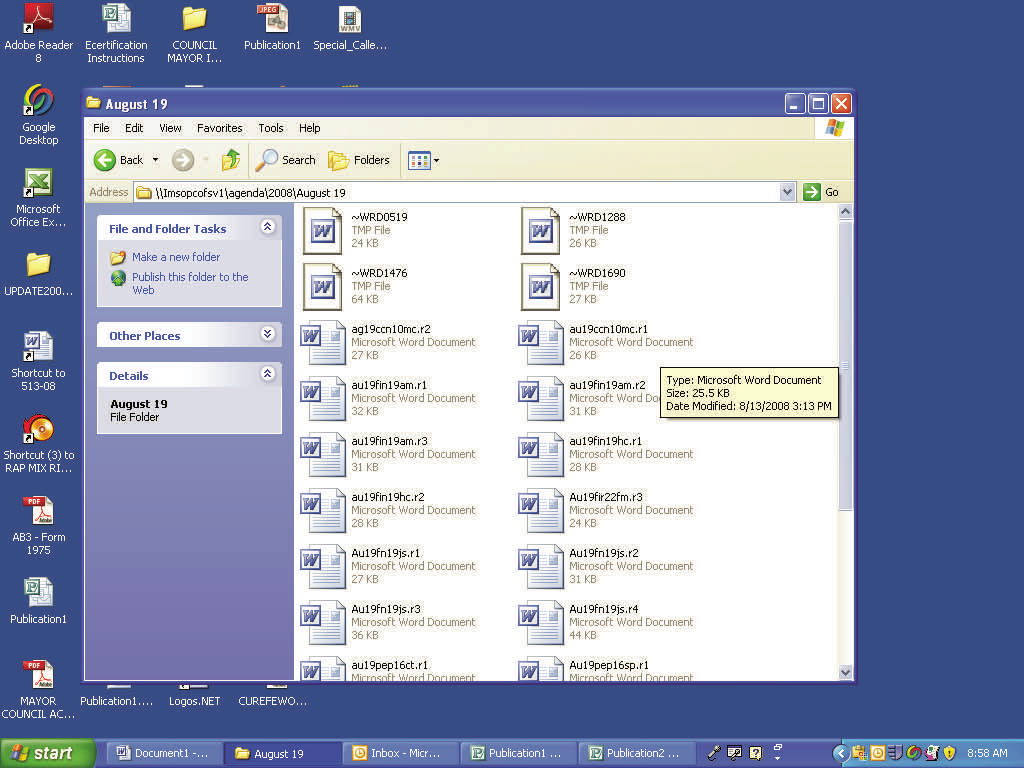
Save item with the name parameters outlined in your instructions on how to prepare item for the agenda.
Comments
0 comments
Please sign in to leave a comment.